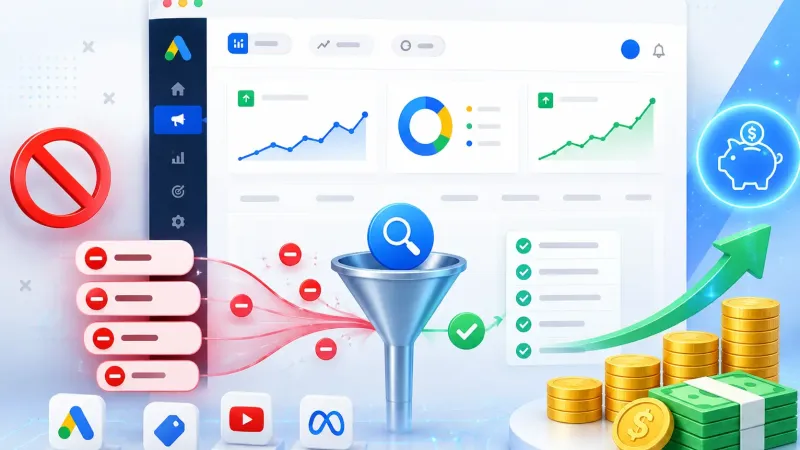
Has this ever happened to you? A potential buyer lands on your website, browses your products, then leaves without checking out. It is completely normal. According to recent data, more than 70% of people who add a product to their basket leave without buying (Baymard Institute). The good news is that Google Ads remarketing is designed for exactly this situation. It lets you “say hello again” to visitors who already know your business, remind them of the products they looked at and invite them back to complete their purchase.
For small businesses (UMKM) and SMEs in Indonesia, Google Ads remarketing is one of the most efficient ways to chase sales, because you only target people who have already shown real interest in your products, rather than a cold audience that has never heard of you. This article covers 7 remarketing strategies that work, the mistakes that often hold results back and the latest data, so your ads get seen and also bring in sales.
What is Google Ads remarketing and why does it matter for your business?
Google Ads remarketing is a feature that lets your ads appear again to people who have previously visited your website, opened your app or interacted with your business's channels. Unlike standard ads, it targets a “warm” audience that already knows your brand, so the chances that they eventually buy are much higher than for a new audience who has never heard of your business.
How remarketing differs from standard prospecting ads
Prospecting ads introduce your business to new people. Remarketing focuses on following up: chasing people who showed interest but have not yet bought. Data shows that users retargeted through follow-up campaigns are 70% more likely to convert than people who see no follow-up ads at all (Demandsage, 2026). On top of that, the average CTR for this type of ad is 0.7%, around 10 times higher than the 0.07% CTR of standard display ads (Demandsage, 2026).
7 Google Ads remarketing strategies that work
Let's go straight to the strategies you can put in place this week, from the basics to more advanced tactics, so you get more out of your Google Ads remarketing.
1. Segment your audience by behaviour
Do not treat every website visitor the same way. Split your audience by the pages they visited: someone who only read a blog post needs different treatment from someone who reached the checkout page. The deeper their interaction, the “hotter” the audience, and the more it deserves a stronger offer.
2. RLSA (Remarketing Lists for Search Ads)
RLSA lets your search ads stand out more when previous visitors search again for related keywords on Google Search. This Google Ads remarketing strategy works very well for service businesses, because you can raise your bids specifically for people who have already visited your website, which makes your ad position more competitive than rivals who rely on big bids alone.
3. Dynamic remarketing for online shops
If you run an online shop, dynamic remarketing is a must-try. It automatically shows the specific products a potential buyer viewed, complete with prices and product images. According to industry data, dynamic product ads can increase conversions by 50-200% compared with standard static ads (SHNO, 2026), which makes them one of the mainstays of performance marketing for e-commerce.
4. Video remarketing on YouTube
As well as Search and Display, you can run Google Ads remarketing on YouTube. Retarget people who have watched your business's videos or visited your YouTube channel. This format is good for building deeper trust before you finally send them to an offer landing page.
5. Customer Match with your customer data
Customer Match lets you upload customer contact data (email addresses, phone numbers) and retarget those people across several Google platforms at once. This strategy suits cross-selling campaigns or reminding existing customers about your latest promotion, without waiting for them to come back to your website on their own.
6. Personalise offers by transaction value
Not every visitor is worth the same. High-value customers can receive exclusive offers, while new buyers might only need an introductory discount. A more personal approach like this has been shown to make ad spend more efficient, because your Google Ads remarketing budget goes to the audiences with the most potential.
7. Use frequency capping so your ads do not annoy people
Showing up too often can irritate potential buyers instead of attracting them. Set frequency caps so your ads appear a reasonable number of times per day or per week. This keeps your brand image positive while still reminding potential buyers about your products.
Common mistakes that hold results back
Before moving on to the data, it helps to know the traps that often make follow-up campaigns less effective. First, raising the budget too quickly while audience data is still thin, so the algorithm does not yet have enough to learn from to optimise delivery. Second, forgetting to exclude people who have already bought, so budget is wasted showing ads for the same product to customers who have already checked out. Third, leaving the same ad creative running for a long time without refreshing it, even though a returning audience gets bored of the same visuals and copy faster than a new audience who has never seen them.
Another mistake that is often missed is not separating landing pages for returning and new visitors. Returning visitors usually know your product already, so a more specific message, such as a special “welcome back” discount, tends to work better than a generic message aimed at everyone.
How effective is Google Ads remarketing? Here is the data
To reassure you further, here are some figures that show how effective this strategy is globally. The average ROAS (Return on Ad Spend) for retargeting campaigns was 4.2x in 2025, up from 4.0x the year before (SHNO, 2026). That means every Rp 1 you spend on Google Ads remarketing could generate more than Rp 4 in revenue. And with the average global cart abandonment rate still at around 70% (Baymard Institute), the opportunity to rescue sales you nearly lost is clearly very large.
These figures consistently show that Google Ads remarketing belongs at the core of every performance marketing campaign, rather than as an optional extra, especially for businesses on a limited budget such as small businesses.
How to get started with Google Ads remarketing
First, make sure the Google Ads tag and Google Analytics 4 are properly installed on your website so visitor data is recorded correctly. You can find the details in Webzoo's guide to Google Ads for Indonesian businesses. Next, build audience lists based on visitor behaviour, set a daily budget and start with a single Google Ads remarketing strategy before gradually adding others.
If your business website is not yet ready to handle this returning traffic, start by fixing its SEO foundations and page speed, so potential buyers who come back through your ads are not disappointed when they land on your site. Businesses without an in-house team to manage campaigns can also use a professional Google Ads service, so their remarketing strategy is focused and measurable from the start, including choosing digital service packages that fit the business's needs and budget.
In the end, Google Ads remarketing is a short-term investment whose impact you can feel quickly, provided you run it with the right segmentation and keep monitoring the data. Start small, test one strategy, then build on it gradually based on the results you see over time.
References
- Cropink (2026). 50+ Retargeting Statistics Marketers Need to Know in 2026. cropink.com
- Demandsage (2026). 70+ Retargeting Statistics & Trends of 2026. demandsage.com
- SHNO (2026). Remarketing Statistics for 2026: Conversion Rates, CTR, ROI, Platform Performance. shno.co
- Baymard Institute (2026). Cart Abandonment Rate Statistics. baymard.com
- Google Ads Help Center (2025). Remarketing Lists for Search Ads (RLSA). support.google.com